Blog · website
Do Plumbers Need a Website If They Have Google Business Profile
By Nathan Glass · August 20, 2026
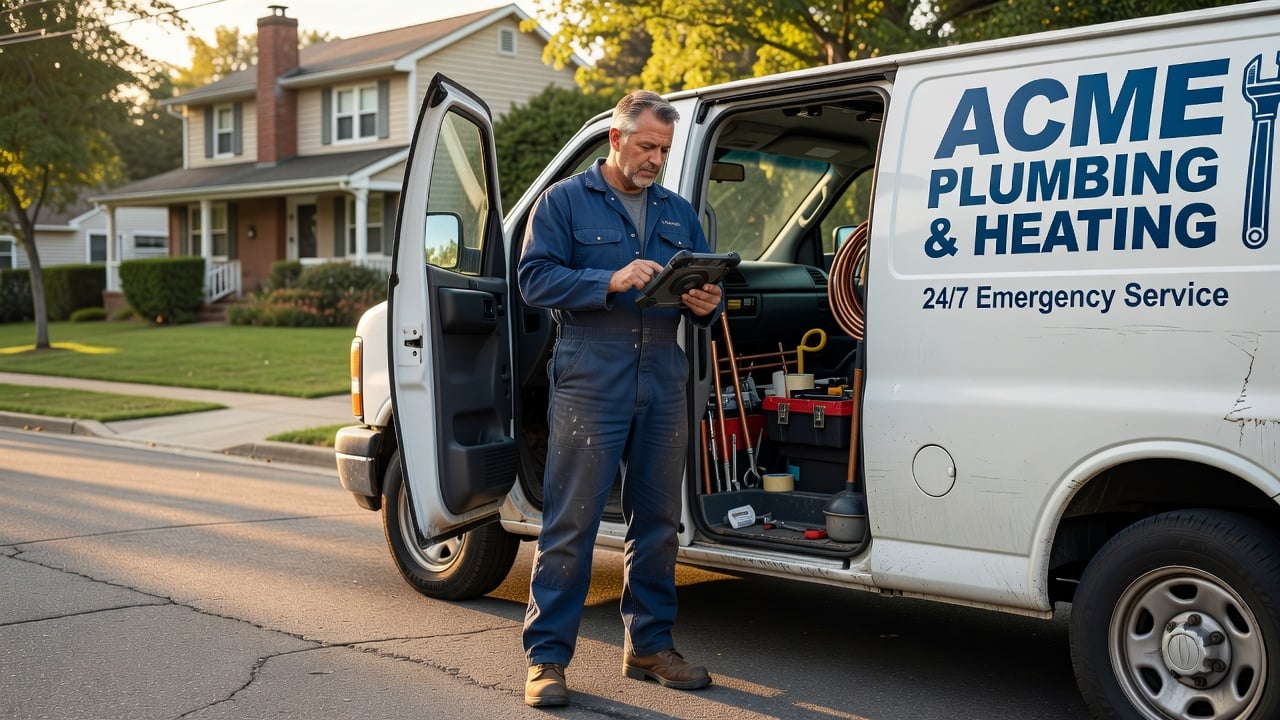
Plumbers with a complete Google Business Profile still benefit from a dedicated website in most cases. The profile drives map and search visibility, yet it rarely supplies the depth of service information, proof of work, or easy booking paths that turn searches into scheduled jobs.
What Google Business Profile Actually Delivers for Plumbers
Google Business Profile puts your shop on the map, shows hours, phone number, and recent reviews. Customers searching “plumber near me” or “drain cleaning” often see your listing first. You can post updates, photos of recent jobs, and respond to reviews directly in the dashboard.
Many one-truck and small-team plumbers stop here because the tool is free and simple. It works well for emergency calls when the customer needs an address and phone number fast. The profile also surfaces service-area information and attributes like “licensed” or “24-hour service” that Google displays in the knowledge panel.
For after-hours drain calls, the profile lets homeowners see you are open and reach you quickly without hunting through old business cards. When a customer needs a permit question answered before approving a sewer repair, the listing can show your license number right away. This immediate visibility helps on jobs where speed matters most, such as a burst pipe flooding a basement at night.
Where Google Business Profile Falls Short for Plumbing Work
The profile limits how much you can explain about specific jobs. A single photo or short post cannot detail the difference between a camera inspection and a full sewer line replacement. Customers comparing two plumbers often want written scope, typical pricing ranges, or before-and-after examples that fit on a proper page.
Lead capture stays basic. A customer must call or message through Google. There is no built-in form that asks for job type, preferred time, or property details before the phone rings. Many plumbers lose after-hours requests because the profile does not route them into a simple scheduling flow.
Insurance proof is another gap. A homeowner planning a whole-home repipe often asks for a certificate of insurance before signing. The profile has no dedicated space to host or link that document, so the plumber ends up texting files back and forth. The same issue appears with detailed service checklists, such as what to expect during a tankless water heater install or how long a camera inspection usually takes.
How a Website Complements Your Google Business Profile
A website gives each service its own page with clear descriptions, common causes, and what the customer should expect. Search engines can index those pages separately, which helps when someone types a longer phrase like “garbage disposal replacement cost in my area.” The site also becomes the place to host a full gallery of completed work that Google posts cannot hold long-term.
Trust elements sit naturally on a website. You can list licenses, insurance details, and recent reviews pulled from multiple sources. A short video of a technician explaining a common repair builds confidence before the customer ever picks up the phone. For a deeper look at structure that works for local service businesses, read the website for local service businesses complete guide.
When a customer searches for “sewer line repair near me” at 10 p.m., the profile brings them to your listing. From there a link on the profile can send them to your site where they read exactly what the repair involves, see photos of similar jobs, and submit a request form with the address and preferred callback time. The combination keeps the quick discovery on Google while moving the detailed conversation to your own pages.
Key Pages Every Plumbing Website Should Include
Start with a clear homepage that states the main service areas and the types of work handled most often. Add a services section with individual pages for drain cleaning, water heater repair, leak detection, and new construction rough-ins. Each page should answer the questions customers ask on the first call.
Include a simple contact or request-form page that asks for job type, address, and preferred time window. An about page with photos of the team and truck helps customers feel they are hiring real people rather than an unknown number. A reviews page that pulls or displays recent feedback gives social proof without forcing the visitor to leave your site.
Service pages work best when they include short checklists. A drain cleaning page might list common causes such as grease buildup or tree roots, what the camera inspection shows, and typical time on site. A water heater page can cover tank versus tankless differences, permit needs, and what the homeowner should have ready before the technician arrives. These details reduce back-and-forth calls and help the customer decide faster.
Trust pages matter for larger jobs. An insurance and licensing page can host the certificate PDF and license numbers so a property manager can download them without extra emails. A gallery page with before-and-after photos from recent sewer repairs or repipes gives visual proof that the profile photos alone cannot match over time.
Practical Steps to Set Up Both Profiles Together
- Claim and fully complete your Google Business Profile with accurate categories, service list, and weekly posts.
- Choose a clean domain name that matches your business name or main service area.
- Build the five core pages listed above using a builder made for service trades rather than a general template.
- Add schema markup for local business and service types so search engines understand the content.
- Link the website from your Google Business Profile and add the Google listing link in your site footer.
- Track form submissions and calls separately for two weeks to see which source brings better jobs.
These steps take most owners a weekend once the content is written. The goal is not a flashy design but clear information that answers questions before the phone rings.
After the site launches, add the website URL to every Google post and photo caption. When a customer messages through the profile about a leak detection job, reply with a short note that includes the direct link to the leak detection page. This simple habit moves the conversation from the limited profile chat into the fuller site where the customer can read details and submit a form.
Common Mistakes Plumbers Make When Using Only Google Business Profile
Some owners post only stock photos or generic updates. Customers notice when every image looks the same as the competitor down the road. Others ignore review replies, which signals poor service even when the rating is high.
Another frequent issue is listing every possible service in the profile without supporting detail. A customer searching for “tankless water heater installation” may click away if the only information is a category name. The profile works best when the website supplies the supporting pages that Google can link to.
Many plumbers also skip updating service-area boundaries after they expand into a new neighborhood. The profile shows the old radius, so homeowners just outside the listed area assume you do not serve them. A website with a clear service-area map and zip-code list keeps that information current and visible even when the profile has not been edited recently.
When a Simple Website Builder Makes Sense for Plumbers
Many plumbers avoid website projects because they expect high agency costs or hours spent learning WordPress. A purpose-built builder for local service businesses removes most of that friction. You answer questions about your services, upload a few job photos, and the structure for SEO and lead capture is already in place.
You can start a free website and see the layout before committing. The platform focuses on the pages and forms that convert for plumbing work rather than general business templates. Once the site is live, keep the Google Business Profile active for map visibility and use the website for deeper information and direct requests.
Owners who test both tools together usually find the profile brings the first click while the website turns that click into a booked appointment. The two systems handle different parts of the customer journey without overlapping work.
Frequently asked questions
- Can a Google Business Profile replace a website for a plumbing business?
- A Google Business Profile helps with local visibility and quick contact, but it lacks the detailed service pages, trust documents, and lead forms that a website provides.
- What pages should a plumber include on a website?
- Core pages include a homepage, individual service pages, a contact or request form, an about page with team photos, and a reviews or insurance page.
- How does a website help with after-hours plumbing calls?
- A website can host request forms that capture job details and preferred callback times even when the office is closed, routing leads into an organized list for the next morning.
- Should I keep both a Google Business Profile and a website?
- Yes. Use the profile for map visibility and quick discovery, and the website for deeper service information, proof of work, and direct booking requests.
- What common mistakes happen when plumbers rely only on Google Business Profile?
- Common issues include generic photos, unanswered reviews, missing service details, and outdated service-area information that sends potential customers elsewhere.
Ready for a professional website?
Get a multi-page site built for local service businesses — free to start.
Build free website