Blog · website
Pest Control Website That Ranks Locally: What Actually Works
By Nathan Glass · August 24, 2026
Why Local Rankings Start with the Right Website Structure
A pest control website that ranks locally must match how homeowners actually search and decide. Search engines favor sites that clearly show service areas, treatment types, and proof of results instead of generic homepages with stock photos. The first step is mapping your site around real local queries like “ant control near me” or “rodent removal in [town].”
Start by listing the pests you handle most often in your area and the neighborhoods you serve. Build pages around those instead of one long services list. This structure helps search engines understand exactly where you work and what problems you solve. Homeowners also move faster when they land on a page that names their specific issue and shows recent local work.
Many pest control operators still use thin one-page sites that list only phone numbers and a few photos. Those pages rarely rank because they lack the depth and signals that local algorithms reward. A multi-page site with dedicated treatment and location sections gives you more opportunities to appear in map packs and organic results. For example, a page focused on termite inspections in older neighborhoods can capture searches that a single homepage misses entirely.
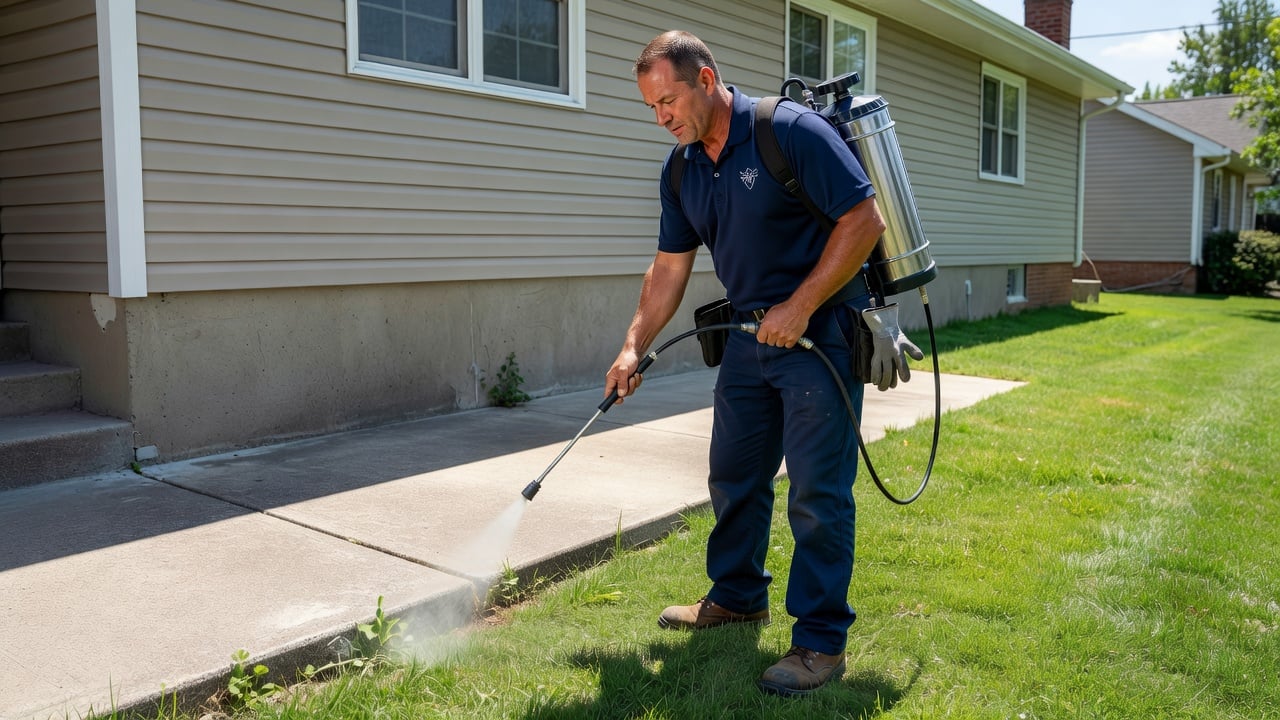
Separate pages also let you add targeted photos of actual jobs, such as crawlspace treatments or attic rodent proofing, with captions that mention the street or subdivision. This level of detail builds relevance without keyword stuffing. When the structure reflects real service patterns, both search engines and homeowners find the information they need quickly.
Essential Pages for a Pest Control Site That Ranks
Every ranking pest control site needs a core set of pages that answer common questions and capture leads. The homepage should quickly show your service area, main pests treated, and a simple contact form. From there, create individual pages for each major service such as termite control, bed bug treatment, wildlife removal, and preventive plans. Use exact titles like “Termite Control in Oakwood – Inspections and Treatments” so searchers and engines match the page to the query.
Add location pages for the towns and counties you serve. Each location page should include neighborhood-specific details, driving times, and recent jobs completed in that area. This approach helps the site appear when someone searches for pest control in a specific suburb rather than just the city name. Include mentions of common local issues, such as carpenter ants near wooded lots or German cockroaches in multi-unit housing. Sample service-area text might read: “Serving Oakwood, Riverdale, and the surrounding zip codes 12345 and 12346 with same-day inspections for active termite tubes.”
Include a results or recent work section with before-and-after photos and short descriptions of the problem solved. Homeowners trust photos of actual properties more than generic claims. Keep contact information visible on every page so visitors can call without hunting through menus. A clear call-to-action button on each service page reduces friction when someone decides they need help that day.
Consider adding a simple FAQ page that addresses questions like how long treatments last or whether pets need to leave the home. These pages keep visitors on the site longer and give search engines more content to index. The goal is a logical flow from homepage to service page to location page to contact form. For a broader look at the pages that matter for any local service business, see our website for local service businesses complete guide.
Optimizing for Local Search with Maps and Service Areas
Local search visibility depends on consistent name, address, and phone information across your site and directory listings. Embed a map on the contact page and service-area pages so search engines can confirm your coverage. Use the same address format everywhere to avoid confusion. Place the map near the bottom of each location page with a short note on drive times from the nearest highway.
Write service-area content that mentions nearby landmarks, common local pest issues, and seasonal patterns. For example, note how spring rains often bring termite activity in certain neighborhoods. This type of detail helps both readers and search engines connect your site to real local searches. List the exact subdivisions or zip codes you cover so homeowners recognize their area immediately. Add a sentence like “We treat properties along the river corridor where moisture draws silverfish and earwigs each spring.”
Make sure your site loads quickly on mobile devices. Most homeowners search for pest control from their phones after spotting an issue. Slow pages or forms that are hard to tap increase bounce rates and hurt local rankings over time. Test load speed on actual devices and compress images of treatment equipment or infested areas without losing clarity. Use file names such as “oakwood-crawlspace-termite-treatment-may-2026.jpg” so images carry location context.
Update service-area pages when you add new towns. A short paragraph about a recent job in that location, such as a successful raccoon removal from an attic near the river, keeps the content fresh and relevant. Consistent updates signal to search engines that the site reflects current operations. Photo captions should follow the same pattern: “Technician sealing entry points after raccoon removal at 456 River Road, May 2026.”
Using Reviews and Proof to Build Trust and Improve Visibility
Reviews remain one of the strongest ranking factors for local service businesses. Display recent reviews on your homepage and service pages with the reviewer’s name and location. Link back to the original review source when possible so search engines can verify authenticity. Aim for reviews that mention the pest and the neighborhood rather than generic praise.
Collect reviews after every completed job and ask customers to mention the specific pest and neighborhood. This creates natural keyword-rich content that supports local rankings. Avoid generic review requests that produce short, low-value comments. A review that says “handled the mouse problem in our garage on Maple Street in two visits” carries more weight than a simple five-star rating. Sample script: “Hi [Name], thanks for letting us handle the [pest] at your [neighborhood] property. Would you mind leaving a short review that mentions the issue and area? It helps neighbors find us.”
Show proof of licensing, insurance, and any manufacturer certifications for the products you use. Place these credentials in the footer and on an about page. Homeowners often check these details before calling, and search engines treat verified business information as a positive signal. Include photos of your technicians in uniform or trucks with clear branding to reinforce professionalism.
Organize reviews by service type when possible. A section for bed bug reviews next to the bed bug treatment page helps visitors quickly find relevant proof. This organization also gives search engines additional context about which services perform well in your area. Rotate three to five fresh reviews on the homepage every month so the content stays current.
Content That Targets Local Pest Problems Effectively
Write short guides that address the pests most common in your service area. Cover identification tips, when to call a professional, and what homeowners can do in the meantime. Keep each guide focused on one pest so it ranks for specific searches rather than competing with broader pages. Example titles include “How to Spot Carpenter Ants Before They Damage Deck Posts” and “What to Do When You Find Rodent Droppings in the Attic.”
Update these guides seasonally. For instance, add notes about increased rodent activity in fall or mosquito breeding after summer storms. Fresh content tells search engines the site stays relevant to current local conditions. A guide on preventing carpenter ants before spring rains can attract homeowners who notice early signs and want to act quickly. Include a short checklist of homeowner steps at the end of each guide.
Link between related pages so visitors can move from a general pest page to a specific treatment or location page. Internal links help search engines understand the full scope of your services and improve crawlability across the site. For example, link from a rodent control page to a location page that mentions recent attic work in the same town. Use descriptive anchor text such as “recent attic rodent work in Oakwood.”
Keep language practical and direct. Homeowners searching for pest control usually want fast answers about cost, safety, and timeline rather than long technical explanations. Short paragraphs with bullet points for steps homeowners can take themselves perform well in both rankings and user experience. End each guide with a clear next step: “Call for a same-day inspection in your neighborhood.”
Avoiding Technical Issues That Hurt Local Rankings
Technical problems such as duplicate content, missing alt text on images, or broken links can prevent a pest control website from ranking even when the content is solid. Run regular checks for these issues and fix them promptly. Use descriptive file names for photos of jobs so search engines can index them properly. Replace any generic alt text with specifics like “technician applying perimeter treatment around foundation in Riverdale subdivision.”
Ensure every page has a unique title tag and meta description that includes the main local keyword for that page. Avoid stuffing keywords; instead, write natural descriptions that match what a homeowner would type into a search bar. A title like “Termite Control in Oakwood – Inspections and Treatments” works better than a generic “Termite Services.” Meta descriptions should stay under 155 characters and include the town plus a benefit such as “same-week inspections available.”
Keep navigation simple. A clear menu with Services, Locations, Results, and Contact helps both users and search engines find important pages quickly. Complicated menus increase the chance that key pages stay hidden from crawlers. Test the menu on mobile to confirm every item remains easy to tap. Limit the top menu to five items maximum.
Monitor for duplicate content across location pages. If two nearby towns share similar text, rewrite sections to highlight differences in local pest pressure or housing styles. Unique content on each page prevents search engines from viewing the pages as thin or repetitive. Run a quick site audit every quarter and rewrite any paragraph that appears on more than one location page.
Practical Steps to Launch or Improve Your Site This Month
Begin by auditing your current site against the pages and signals described above. Note which service and location pages are missing and prioritize the ones that match your busiest seasons. Add review displays and credential badges next, since these build trust immediately. Create a simple spreadsheet listing every planned page, its target keyword, and the first photo or review you will add.
Once the structure is in place, focus on consistent local information and mobile performance. Test forms and phone numbers on actual devices to confirm they work without extra clicks. Add one new location page per week and include a recent job photo with a street-level caption. Track which pages receive the most calls after the first month and double down on similar content.
Month-by-month checklist: Month 1 – audit existing pages, list missing service and location pages, gather five recent reviews with neighborhood details. Month 2 – build or update three service pages with exact titles and photo captions, embed maps on contact and location pages. Month 3 – write two seasonal pest guides, add internal links between them and location pages, test mobile load speed and fix any issues. Month 4 – review analytics for top-performing pages, refresh one location page with a new job, request three additional reviews using the specific-pest script.
If you want a platform built specifically for local service trades that includes these elements from the start, you can start a free website and customize it for pest control work without wrestling with general website builders.
Frequently asked questions
- How many pages does a pest control website need to rank locally?
- Most operators see better results with at least a homepage, five to eight service pages, and one location page per town served.
- Should I list every neighborhood on a single page or create separate location pages?
- Separate location pages perform better because they allow unique content and targeted photos for each area.
- What kind of photos help a pest control site rank?
- Photos of actual jobs with captions that include the street or subdivision help search engines connect the page to local searches.
- How often should I update service-area content?
- Add a new job note or photo to each location page at least once per quarter to keep the content fresh.
- Do review requests need to mention the pest and neighborhood?
- Yes. Specific details create stronger signals for both homeowners and local search algorithms.
- What technical checks should I run every quarter?
- Check for duplicate content across location pages, missing alt text on images, and broken links on service pages.
Ready for a professional website?
Get a multi-page site built for local service businesses — free to start.
Build free website